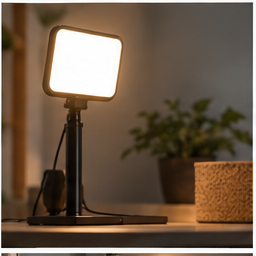
If every call begins by moving the camera and checking the crop, a fixed position can remove a small recurring task. A mount is useful when it holds the camera where you need it without obstructing the display, stressing a cable or amplifying desk movement.
Find your next step
Select the situation you recognize. This identifies a research route, not a compatibility approval.
Read the decision checks ↓Define the frame before choosing hardware
Sit in the normal working position and open the call preview. Move the camera temporarily to a stable position near the screen and check the head-and-shoulders framing. Note whether the call window can sit close to the lens. If the position you want is far to one side or high above the screen, a monitor-top accessory may not offer the necessary placement.
There are two compatibility checks
First check how the camera attaches; a threaded socket, clip or proprietary mount changes your options. Then inspect how the accessory attaches to the screen. Compare the monitor edge, thickness, rear shape and permitted load with the instructions. Do not assume a camera mount is suitable simply because the listing includes the word “universal.” Both sides of the connection must work.
Where the RAUBAY CM01 belongs
The linked listing identifies a monitor-top camera mount for flat screens with a quarter-inch attachment. It is a research candidate when that interface matches the camera and the monitor can accept the mounting arrangement. It is not a webcam and does not add resolution, autofocus or better low-light performance. Confirm the current load and fit details on the listing and instructions before relying on it.
Think about what moves during a call
Type a few sentences, adjust the monitor and touch the desk lightly as you normally would. Watch the preview for movement. A camera attached to an unstable screen inherits that movement. Route the cable with slack for the allowed display adjustment, keeping it out of joints. If the lead pulls the camera off-axis, reposition or replace the appropriate cable instead of tightening the mount to compensate.
Store a repeatable reference
After finding a suitable position, save a screenshot of the preview for your own setup reference. Note the normal chair and monitor position rather than relying on a measured camera height alone. A standing or shared-table workspace may need more than one repeatable arrangement. Choose hardware that supports the actual routine without requiring constant readjustment.
When to keep the built-in clip
If the existing camera clip already holds the frame through normal work, another mount adds little. If the issue is a dark face, glare or a frozen call, use the camera troubleshooting guide first. Buy only when positioning or stability is the specific missing capability and the accessory documentation supports both the camera and screen.
The decision at a glance
| Check | What to record | Do not substitute |
|---|---|---|
| Camera interface | Socket or approved adapter | A similar-looking attachment |
| Monitor fit | Edge shape and permitted attachment | Screen diagonal alone |
| Work stability | Framing while typing | A still product photo |
Buy a mount to preserve a verified camera position. Keep the current clip if it already does that job.
Products for the relevant scenario
These are research candidates for the conditions above. Verify the exact variant and seller’s return terms before buying.

RAUBAY CM01 Monitor Top Camera Mount
Consider it for: A compatible webcam needing a repeatable monitor-top position.
Before buying: Verify camera attachment, load and monitor-edge fit in the listing.
Trade-off: This does not add a camera or correct poor lighting.
View product →Sources and evidence
Based on product documentation and the sources below; DeskWise has not hands-on tested these products. Examples describe possible setups, not measured outcomes.
Editorial update: Aug 18, 2026. Product images correspond to their linked retailer pages. Prices and stock are left to the seller’s page.