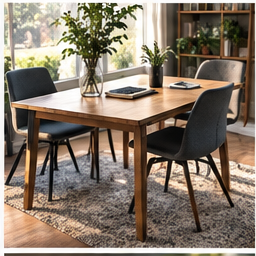
A dining table has a second job. The useful workstation is the one you can put away without searching for cables tomorrow. Design the end of the workday first: where will the laptop, keyboard, charger and papers live, and which connections should remain together?
Find your next step
Select the situation you recognize. This identifies a research route, not a compatibility approval.
Read the decision checks ↓Give the work kit a home
Choose a shelf, drawer or container large enough for the real equipment. Place heavy items where you can retrieve them without balancing a laptop on one arm. Keep the charger with the device if it travels; a spare at the table may help only when the charging requirements match. Store loose peripherals together so tomorrow starts with one kit instead of several searches.
Measure the working area and the storage area
An accessory must fit in two places. Record the table space you can occupy during work and the shelf or bag space available afterward. Include folded height, cables and the footprint of a keyboard, not only the headline dimensions. A large dock that is convenient on a permanent desk can become one more object to disconnect on a table you clear every evening.
Choose a screen arrangement you can safely repeat
A laptop alone is compact but ties the screen position to its keyboard. Raising it changes the input position too, so consider the full arrangement with separate input devices. A portable or external monitor adds surface area, power and storage demands. Before buying one, rehearse where it will be carried and stored; a fragile panel leaning against dining chairs is not a finished plan.
Consolidate only the connections that slow you down
For one external screen and several USB accessories, a verified hub may remove repeated plugs. Leave the fixed accessories attached to it when you put the kit away, if their cables can be stored without stress. If you use only a laptop and wireless mouse, a hub may add no useful convenience. Test the connection plan against the laptop’s actual capabilities using our one-cable guide.
Rehearse the handover
Time one complete pack-down: close the work safely, disconnect the portable device, put accessories away and restore the table for its other job. Then set it up again. The missing step often appears here: a cable end falls behind furniture, notes get mixed with household papers, or a power switch becomes unreachable. Fix that repeated action before adding decorative storage.
Make a purchase earn both its jobs
A useful shared-table purchase improves working and remains easy to put away. If a full-size keyboard makes typing better but does not fit the storage shelf, compare a smaller layout before buying. If a support raises the screen but takes longer to assemble than the task it serves, a simpler stable arrangement may be better. Evaluate the whole routine, not only the photo when everything is unpacked.
The decision at a glance
| Accessory | Benefit while working | Cost when packing |
|---|---|---|
| USB-C hub | Fewer daily connections | Extra cable and compatibility checks |
| Separate keyboard | Independent screen position | Storage footprint |
| External display | More readable workspace | Safe transport, power and storage |
Buy for a setup you can assemble and clear repeatedly. The handover matters as much as the working position.
Products for the relevant scenario
These are research candidates for the conditions above. Verify the exact variant and seller’s return terms before buying.

Nulaxy Adjustable Portable Laptop Stand
Consider it for: A laptop-only setup that has passed a separate-keyboard height test and needs a portable, adjustable support.
Before buying: Confirm laptop size, stable opening angle, keyboard-and-mouse space and pack-down routine.
Trade-off: Raising a laptop without separate input also raises its keyboard and trackpad.
View product →
Amazon Basics Adjustable Laptop Tray Table
Consider it for: A portable laptop setup that needs a foldable support surface rather than a permanent desk installation.
Before buying: Confirm the current listing availability, laptop size, working angle and whether the tray suits your actual location.
Trade-off: A tray is not a replacement for a stable desk when you need a mouse, notes and external display together.
View product →Sources and evidence
Based on product documentation and the sources below; DeskWise has not hands-on tested these products. Examples describe possible setups, not measured outcomes.
Editorial update: Aug 27, 2026. Product images correspond to their linked retailer pages. Prices and stock are left to the seller’s page.