
A hub can turn connecting a display, keyboard, network and charger into one familiar step. The improvement is a shorter routine, not a faster computer. If the hub cannot carry your laptop’s required power and video mode, the routine becomes more complicated instead.
Find your next step
Select the situation you recognize. This identifies a research route, not a compatibility approval.
Read the decision checks ↓Sketch the daily connection before comparing ports
Write down what you connect each morning and what stays at the desk. An occasional SD card does not carry the same value as a keyboard you connect five days a week. Start with the display and charging requirements, then add the necessary USB and network ports. Reject accessories that solve the easy USB count while leaving the screen unsupported.
Where the Anker 555 belongs
Anker describes the 555 A8383 as an eight-port hub with HDMI, USB data connections, Ethernet and card readers. Its documented pass-through charging provides up to 85 W to the host from a suitable input. This makes it a candidate for a compatible single-display workspace. Those features do not establish support for every laptop, two independent displays or a high-power workstation’s full charging needs.
The trade-off behind a compact hub
A small hub keeps a travel kit manageable, but the attached host cable dictates where it can sit. Check whether your laptop port is on the convenient side and whether larger USB plugs can fit together. If the hub hangs from a short cable, rearrange the devices rather than loading the port mechanically. A stationary dock may suit a permanent workstation better when you need more separation or documented multi-screen support.
Check power under normal work
Use the charger and cable appropriate to the hub and laptop instructions. Join a call and open the applications you normally use, then observe whether the laptop charges as expected. Avoid assuming the highest number in a headline is the power that reaches the computer. If you must keep a second charging lead connected, decide whether the hub still removes enough daily work to justify it.
Do the reconnect test three ways
Try reconnecting after taking the laptop away, waking it from sleep and starting it from shutdown. Verify the display, keyboard and any network adapter each time. If one device disappears, isolate it with a direct connection before blaming every component. Keep a note of the exact cable and port combination that works; changing those later can change the result.
When to choose a different category
Use a direct cable if there is only one connection to make. Research a dock if you need two independent screens, a different host charging budget or a desktop arrangement the compact cable cannot reach. Check the exact laptop and operating system against the manufacturer’s compatibility material. The right hub removes steps without asking you to troubleshoot the same failure every morning.
The decision at a glance
| Requirement | 555 research fit | Unresolved check |
|---|---|---|
| One HDMI monitor | Relevant candidate | Host video mode and cable |
| Power through hub | Pass-through category | Delivered power meets laptop needs |
| Two independent screens | Choose another route | Exact host and dock compatibility |
Shortlist the hub when it removes multiple daily plugs and its documented power and video support match your actual setup.
Products for the relevant scenario
These are research candidates for the conditions above. Verify the exact variant and seller’s return terms before buying.
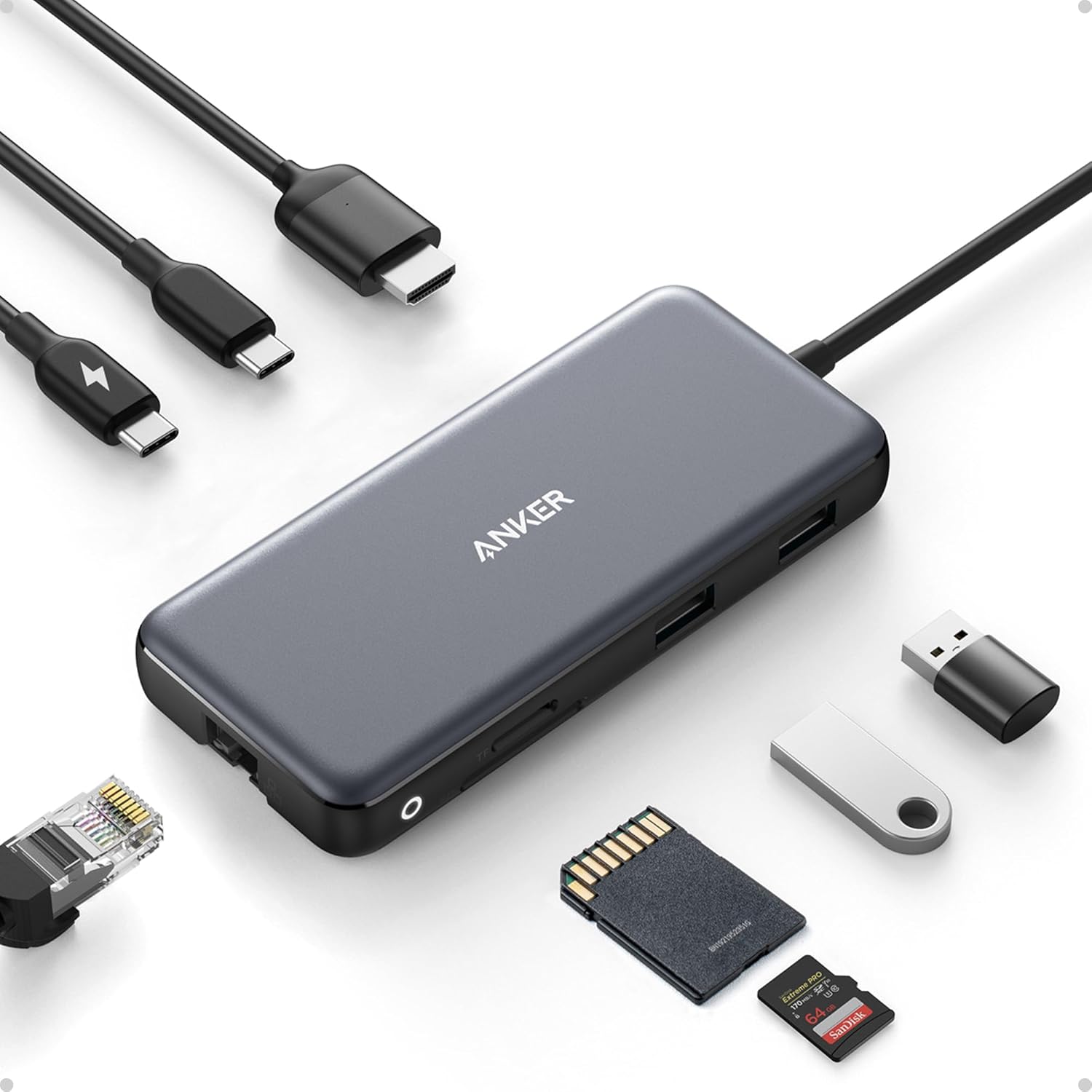
Anker 555 USB-C Hub
Consider it for: A single-display laptop setup with several daily connections.
Before buying: Confirm host video support, charger and host power requirements.
Trade-off: This is a hub, not a universal dual-display dock.
View product →Sources and evidence
Based on product documentation and the sources below; DeskWise has not hands-on tested these products. Examples describe possible setups, not measured outcomes.
Editorial update: Jul 13, 2026. Product images correspond to their linked retailer pages. Prices and stock are left to the seller’s page.