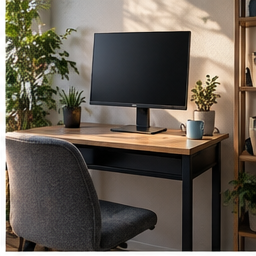
A desk can be bright and still be hard to use. Window light can wash out a call, a bare bulb can reflect in the screen, and a dim keyboard area can make note-taking tiring. These are different lighting problems, so start by identifying where the light lands during your real work hours.
Find your next step
Select the situation you recognize. This identifies a research route, not a compatibility approval.
Read the decision checks ↓Test at the hour you actually work
Open the same document and call preview in the morning, afternoon or evening when the problem occurs. Note the window direction, overhead light and display angle. A setup evaluated only in daytime can fail after sunset, and a lamp that helps a paper page can create a reflection in a dark screen.
Use the window as a variable
For calls, face toward a window or place it slightly to one side when that gives an even image. If the window is behind you, your face can appear dark even in a bright room. Close or soften direct sun before judging the camera; buying a new webcam will not change backlighting.
Check glare with a dark screen
Open a dark page and look for the lamp shape or window reflection. Move the lamp, shade the window or turn the display slightly, then repeat the reading task. Do not angle the monitor so far that it becomes awkward to view just to hide a reflection. The best change reduces glare while keeping the screen readable and the desk layout stable.
Light the paper, not the lens
For handwriting or printed notes, place a task light so it illuminates the page without casting your hand’s shadow across it. Keep the brightest point out of the direct line between your eyes and the display. A flexible lamp can be useful because it lets you solve this task-specific angle; its value is adjustability, not simply higher brightness.
Compare colour and control in context
A light that looks pleasant beside warm room lighting may look strange in a call preview or make printed colour work harder to judge. Test dimming and direction first. Avoid treating a stated colour temperature as a guarantee of good video: camera processing, daylight and room surfaces also affect the result.
Write the lighting brief
A useful brief is “Make my face clear in a 4 p.m. call without reflecting in the monitor,” or “Light handwritten notes after dark while keeping the screen readable.” A purchase is warranted when the current lamps cannot aim, dim or position light to meet that specific job.
The decision at a glance
| Problem | Free test | Product feature to research |
|---|---|---|
| Dark face | Window and camera direction | Adjustable, positionable light |
| Screen reflection | Lamp and display placement | Shade or directional control |
| Dim paper task | Aim current light at page | Stable task-light reach |
Buy a light for a tested placement or control limit, not because “office lighting” sounds like a single category.
Products for the relevant scenario
These are research candidates for the conditions above. Verify the exact variant and seller’s return terms before buying.

UBeesize 10-inch LED Ring Light with Stand
Consider it for: A desk or call setup that needs a movable light source after window direction and glare have been tested.
Before buying: Check the floor or desk footprint, power access and whether the tripod position works in your room.
Trade-off: A ring light can add another reflection when aimed at a display, and it does not replace daylight control.
View product →
BenQ ScreenBar Plus Monitor Light
Consider it for: A monitor setup where tested lamp placement still leaves paper or keyboard work dim.
Before buying: Check monitor thickness, clip fit, power route and whether the light can avoid reflections in your screen.
Trade-off: It is not a substitute for controlling a bright window behind the display.
View product →Sources and evidence
Based on product documentation and the sources below; DeskWise has not hands-on tested these products. Examples describe possible setups, not measured outcomes.
Editorial update: Sep 26, 2026. Product images correspond to their linked retailer pages. Prices and stock are left to the seller’s page.