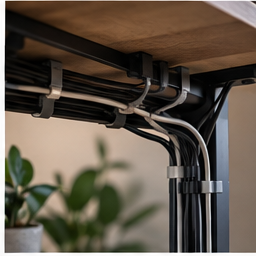
A tightly wrapped cable bundle looks finished until you need to remove the webcam. The useful version of cable management lets you unplug one device without dismantling the desk. Start with the connections that move every day and give them a different route from the equipment that stays put.
Find your next step
Select the situation you recognize. This identifies a research route, not a compatibility approval.
Read the decision checks ↓Sort by behavior, not by color
Make three groups: fixed equipment such as a monitor, daily connections such as a laptop lead, and occasional accessories such as a backup drive. Trace each wire before moving it. Remove abandoned cables from the working bundle, but do not disconnect unfamiliar equipment without identifying it. A charging cable you need each morning should remain accessible instead of joining a permanent under-desk loop.
Route the cable to its job
Position the laptop and monitor first. Lay the cables along the proposed route with loose reusable ties, then move the equipment through its normal range. A monitor arm can pull on a cable that seemed long enough when folded. A height-adjustable desk needs a route that works at its extremes. Keep cables away from moving joints and stop if any connector is being loaded or pulled sideways.
Decide whether you need ties, clips or a tray
Ties collect a route; clips retain an accessible end; a tray supports a group below the surface. These are different jobs. If the only problem is a charging lead falling behind the table, a full tray is excessive. If power accessories take up the floor and interfere with cleaning, a correctly supported tray can be more useful than another sleeve. Do not tightly cover adapters that require ventilation.
Measure the underside before ordering
Look for drawers, rails and the desk frame. Measure the clear tray length and depth, plug projection and enough room to reach the power switch. Check whether the tray clamps or screws into the surface and whether the desk permits that attachment. Include the proposed contents when comparing the load rating. A tray that fits the empty power strip may still be too narrow once large plugs are inserted.
The removal test
Once the route is loosely organized, remove one frequently changed device. Can you identify its connector without pulling the whole bundle? Can you replace it without cutting every tie? If not, separate that branch and label the ends. Photograph the final underside for your own reference. The photo is most useful when you can match each label to the device above the desk.
Know which problems storage cannot fix
Do not conceal a damaged lead, overloaded connection or recurring overheating inside a tray. Follow the equipment and power-strip instructions, and avoid linking power strips together. A storage accessory changes placement, not electrical capacity. If the cable is the wrong type for charging or video, replace that specific connection before making the route look tidy.
The decision at a glance
| Problem | Smallest useful tool | Check |
|---|---|---|
| One loose connector | Cable clip | Surface adhesion and connector access |
| Several parallel wires | Reusable ties | Slack at every moving joint |
| Fixed power accessories below desk | Cable tray | Mount, load, ventilation and switch access |
The job is finished when the desktop is clear and you can remove one device without disturbing the others.
Products for the relevant scenario
These are research candidates for the conditions above. Verify the exact variant and seller’s return terms before buying.
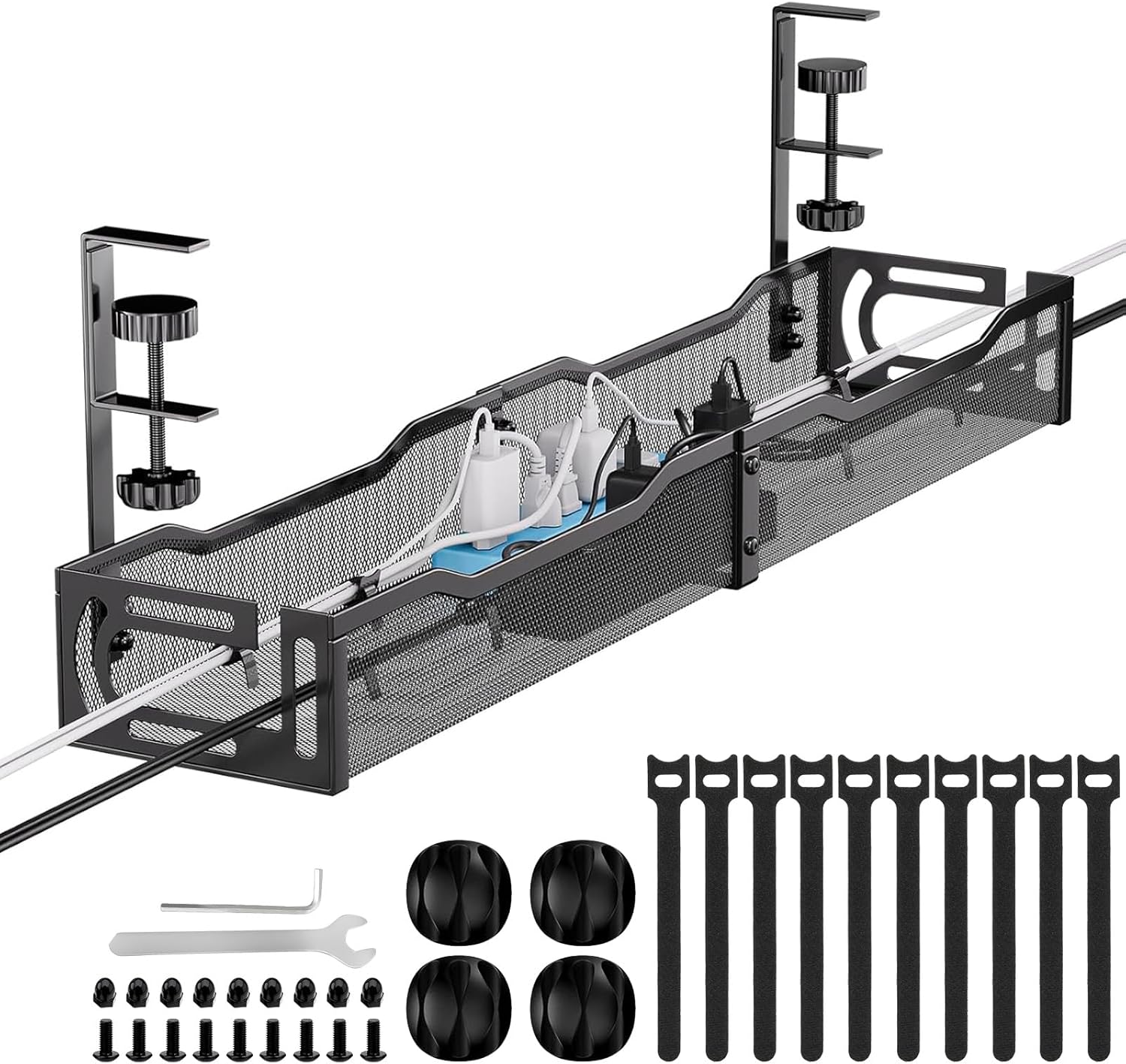
Mzmaxy 25-inch Under-Desk Cable Tray
Consider it for: A fixed group of cables and power accessories below a suitable desk.
Before buying: Compare tray clearance, clamp position, load and plug access.
Trade-off: A tray will not make a damaged cable or overloaded outlet safe.
View product →
UGREEN 100W USB-C Cable 3-Pack
Consider it for: A setup with a documented USB-C connection need and a confirmed length, power and data requirement.
Before buying: Verify connector type, power requirement, data or video need, and the exact cable length before buying.
Trade-off: A charge-capable cable is not automatically a video-capable cable.
View product →Sources and evidence
Based on product documentation and the sources below; DeskWise has not hands-on tested these products. Examples describe possible setups, not measured outcomes.
Editorial update: Aug 05, 2026. Product images correspond to their linked retailer pages. Prices and stock are left to the seller’s page.